AI-Powered Deliverability Analysis
AI ingests all your test results—spam scores, accessibility issues, compatibility problems—and synthesizes them into a Deliverability Score with prioritized, actionable fixes.
Why AI Deliverability Analysis?
Supported AI Providers
OpenAI GPT-4o
Advanced model for comprehensive deliverability analysis
Features:
- Unified Deliverability Score
- Prioritized fix recommendations
- Cross-test result synthesis
- Impact-based prioritization
What Gets Analyzed
Deliverability Score
Unified score combining all test results into one metric
- Weighted spam score analysis
- Accessibility impact assessment
- Compatibility issue severity
- Overall inbox placement prediction
Prioritized Fixes
Actionable recommendations ranked by impact on deliverability
- High-impact fixes first
- Effort vs impact analysis
- Quick wins identification
- Critical blockers highlighted
Test Synthesis
Combines spam, accessibility, and compatibility results
- Cross-test correlation
- Conflict resolution
- Holistic issue analysis
- Root cause identification
Actionable Solutions
Specific code and content fixes you can implement immediately
- HTML/CSS fix suggestions
- Content recommendations
- Alternative approaches
- Best practice guidance
Configuration
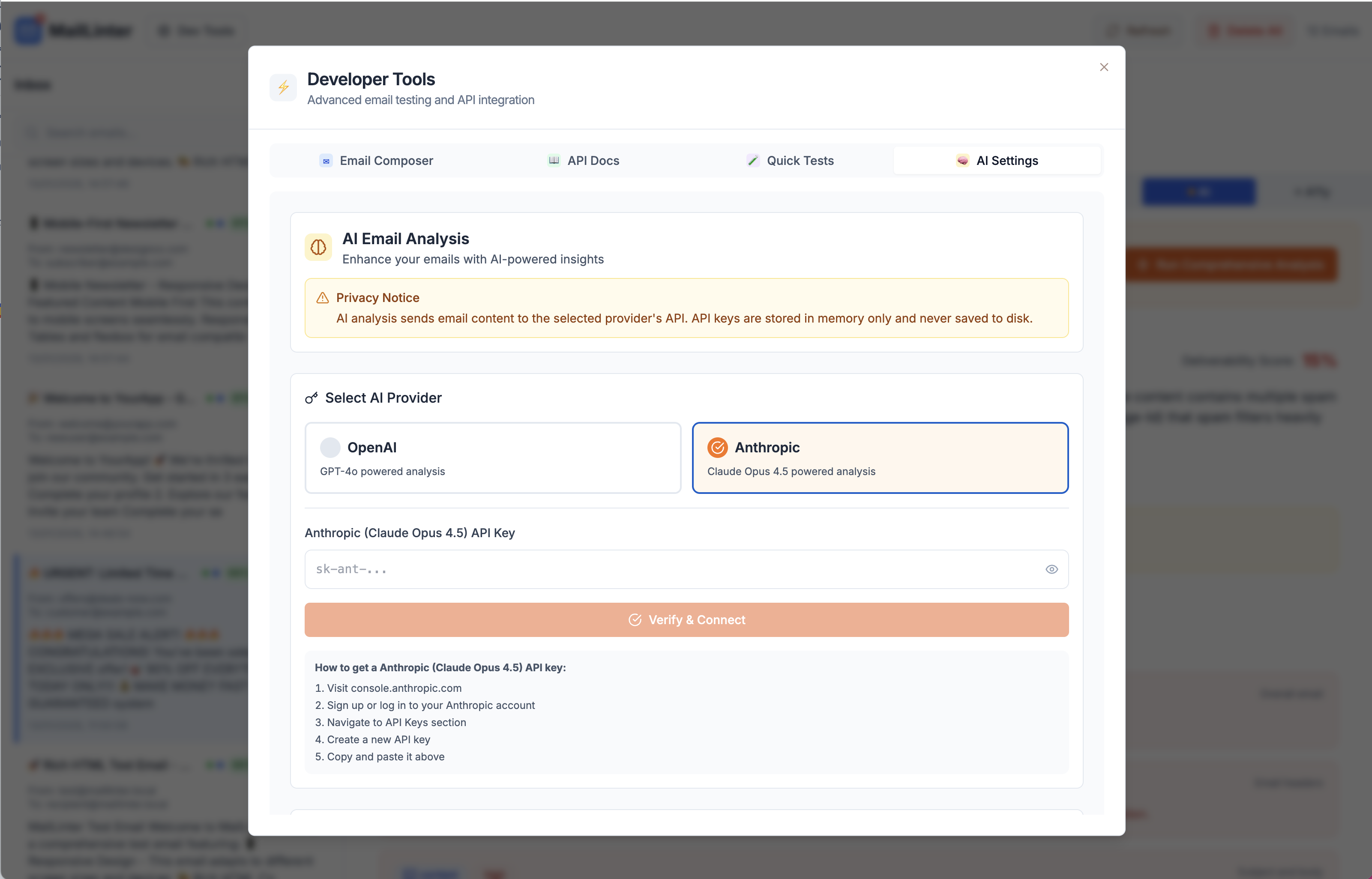
Configure your AI provider directly in the MailLinter app. Go to Dev Tools → AI Settings to select your provider and enter your API key.
How It Works
Configure AI Provider
Go to Dev Tools → AI Settings and select your preferred AI provider (OpenAI or Anthropic). Enter your API key to enable analysis.
Run Your Tests
Send your email to MailLinter and run spam, accessibility, and compatibility tests as usual.
Click AI Analysis
The AI ingests all test results and synthesizes them into a unified analysis.
Get Your Deliverability Score
Review your overall score and prioritized fixes ranked by impact on inbox placement.
What's Next?
Pro Tips for AI Analysis
Getting Better Results
- Run all tests (spam, accessibility, compatibility) before AI analysis
- More test data = more comprehensive recommendations
- Use real content for accurate deliverability scoring
Workflow Tips
- Focus on high-priority fixes first for maximum impact
- Re-run AI analysis after making changes to track improvement
- Use the Deliverability Score as your go/no-go metric